

On-Call Management for Startups: Process, Alerting and Software
How a startup should run on-call management once it passes 5 engineers or 10 customers: the rotation, on-call alerting and escalation, the requests that land on the on-call engineer, and what on-call management software should cost.
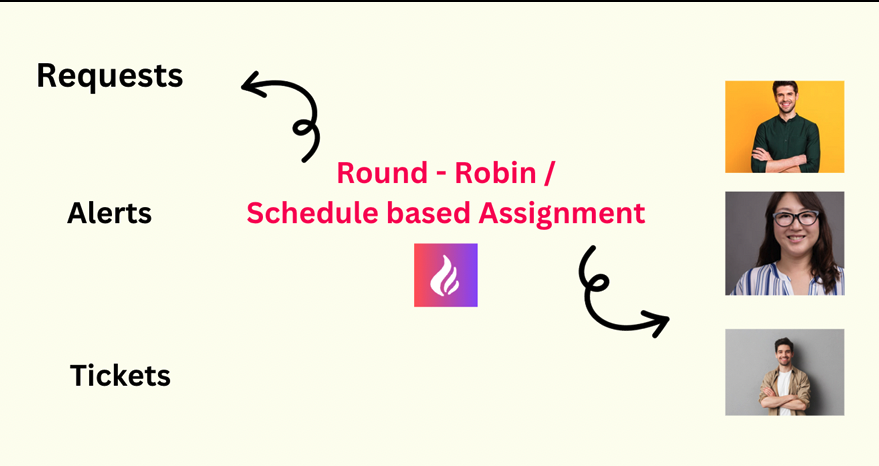
On-call management is the system that decides who responds when something breaks, how they find out, and what happens if they do not answer. Most startups need one once they pass about 5 engineers or 10 paying customers: alerts from infrastructure, billing and support tools start arriving faster than "whoever sees it first" can handle, and the same two people end up answering everything.
This guide covers the parts of on-call management a startup actually needs, in the order to set them up, and what on-call management software should cost at that stage.
What On-Call Management Covers
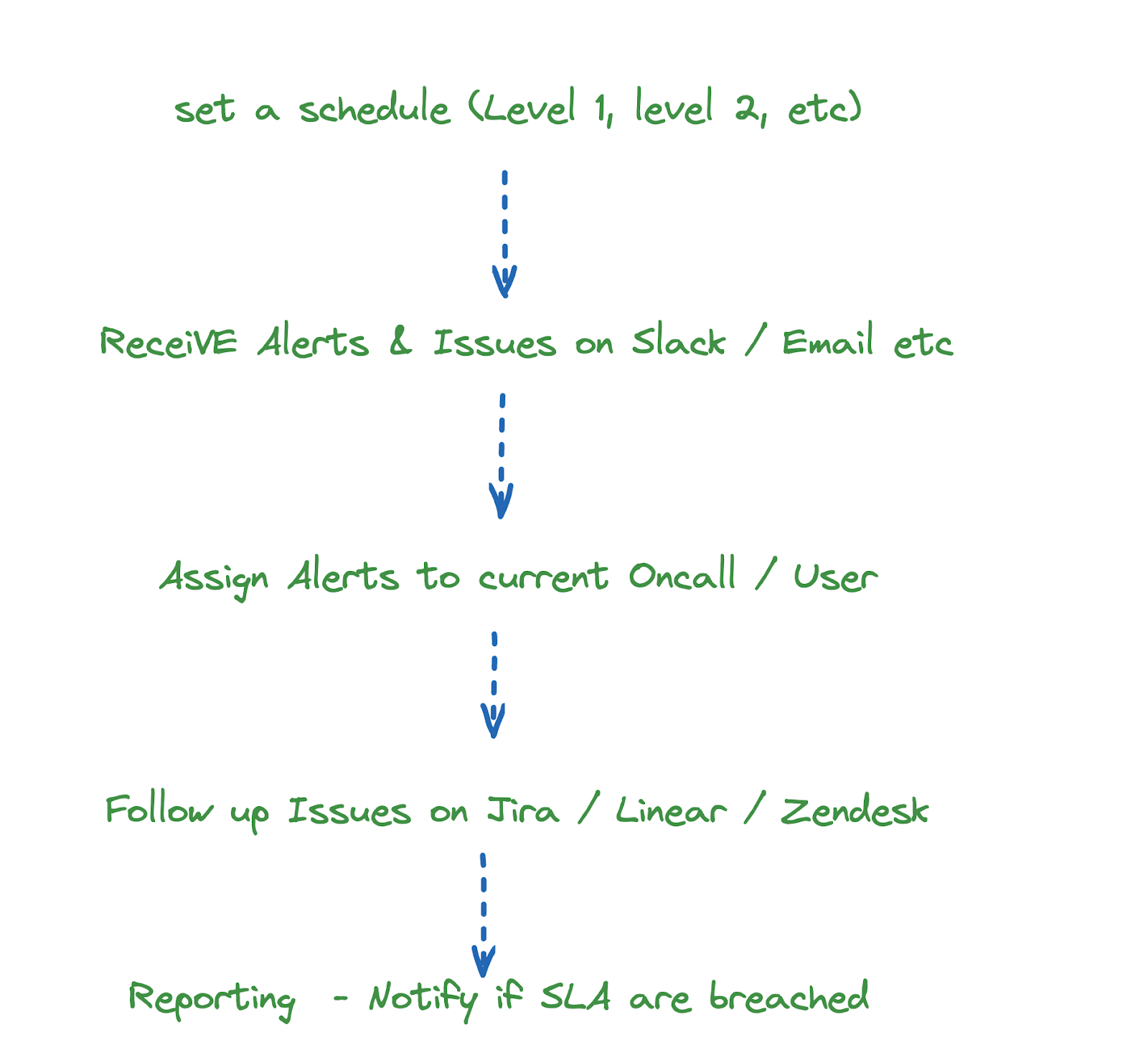
A working on-call management system has six parts. You do not need all of them on day one, but you will within a year:
1. Scheduling
A rotation that always names exactly one primary on-call engineer, with handoffs at predictable times and a way to swap or override shifts. Round-robin weekly rotations are the usual starting point; see how to build a fair on-call schedule for the common patterns.
2. Alerting
Monitoring signals reach the on-call engineer in real time, in the place they already work (Slack or Microsoft Teams), not in a shared inbox.
3. Assignment
Each alert is assigned to the current on-call automatically, so there is one owner instead of a channel full of people assuming someone else has it.
4. Acknowledgement and escalation
The on-call engineer acknowledges the alert. If they do not within a set time, it escalates: by phone call or SMS, then to a secondary, then to the team lead.
5. Ticketing
Anything that is not fixed in the moment becomes a Jira or Linear ticket with the context attached, so it survives the handoff.
6. Reporting
Weekly numbers on alert volume, time to acknowledge (MTTA) and time to resolve (MTTR) show whether on-call is getting better or just getting louder.
On-Call Alerting: Getting the Right Alert to the Right Person
On-call alerting is the path from a monitoring signal to a human who can act on it. For a startup it has to do three things without a dedicated ops team to babysit it:
- Route by schedule: every alert goes to whoever is on call for the service that fired it, taken from the on-call rotation rather than a fixed list of names.
- Escalate when unacknowledged: if the on-call engineer does not acknowledge within a set time, the alert escalates by phone call, SMS or email, then to a secondary or the team lead.
- Stay quiet otherwise: only alerts that need a human now should page anyone. Everything else goes to a channel for review in working hours, or on-call alerting turns into alert fatigue.
A good rule for a small team: if an alert fired three times last month and nobody did anything, it should not page. Turn it into a channel notification or delete it.
Types of Requests the On-Call Engineer Handles
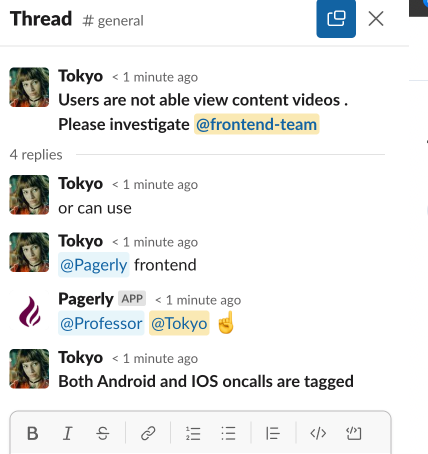
At a startup the on-call engineer is rarely just watching servers. Expect four sources:
Infrastructure alerts
- Server, network, database and storage alerts from AWS, Datadog, Sentry, Grafana and similar tools.
- Reading logs and metrics to find the cause, and pulling in whoever owns the affected system.
Business and analytics alerts
- Payment failures and webhook errors from Stripe or LemonSqueezy.
- Sudden drops in events from Mixpanel or Amplitude, which often mean broken tracking or a broken signup flow.
Customer requests
- Urgent issues from Slack Connect channels, Zendesk or Intercom.
- Remote diagnosis and a clear reply, even if the fix waits for working hours.
Internal requests
- Teammates blocked on a deploy, an environment or access. Routing these through the on-call engineer protects everyone else's focus time.
How to Set Up On-Call Management at a Startup
- Write down what counts as urgent. One line per alert type: page now, post to channel, or ignore.
- Create one rotation per team, weekly, with handoff on a weekday morning so questions can be asked in person.
- Connect your monitoring tools so alerts are created automatically instead of copied by hand.
- Set an escalation policy: primary, then secondary after 10 to 15 minutes, then a lead.
- Keep a Slack user group like
@oncall-backendpointed at whoever is on call, so the rest of the company can reach them without checking a schedule. - Review weekly: noisy alerts, pages that woke someone up, and anything that needed a ticket.
On-Call Management Software: What It Should Cost
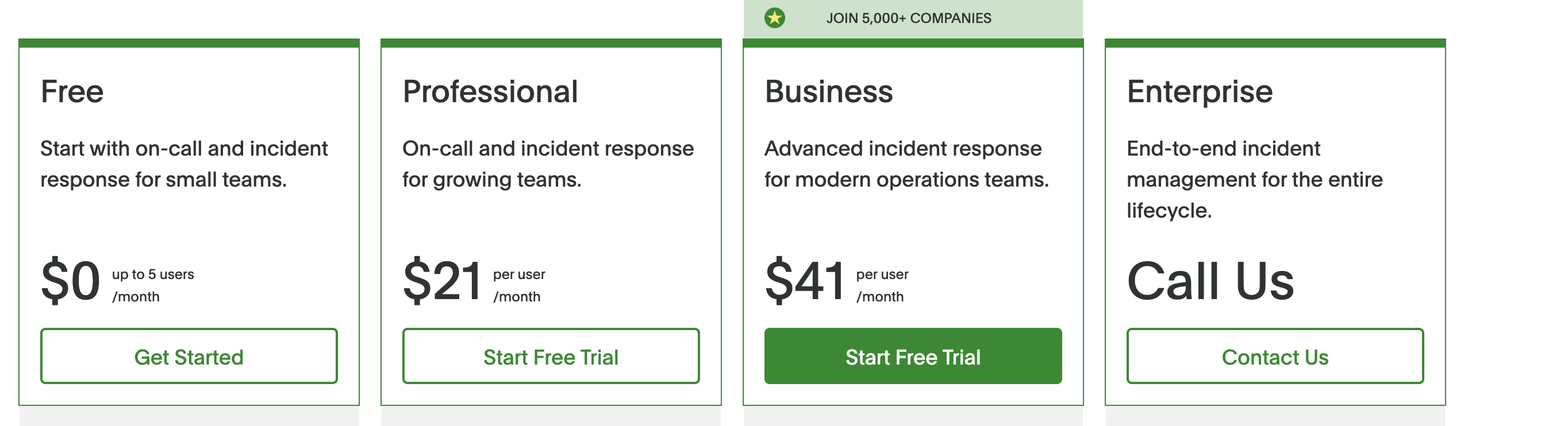
The established on-call management systems price per user. PagerDuty Professional is $21 per user per month billed annually, so a startup with 25 engineers on call pays about $6,300 a year before add-ons (see the full PagerDuty pricing breakdown). Opsgenie, the other common choice, is being shut down by Atlassian in April 2027, so teams on it need a migration plan anyway.
Per-seat pricing pushes startups to keep the rota small, which is the opposite of what a healthy on-call program needs. Per-team pricing removes that trade-off.
On-Call Management in Slack with Pagerly
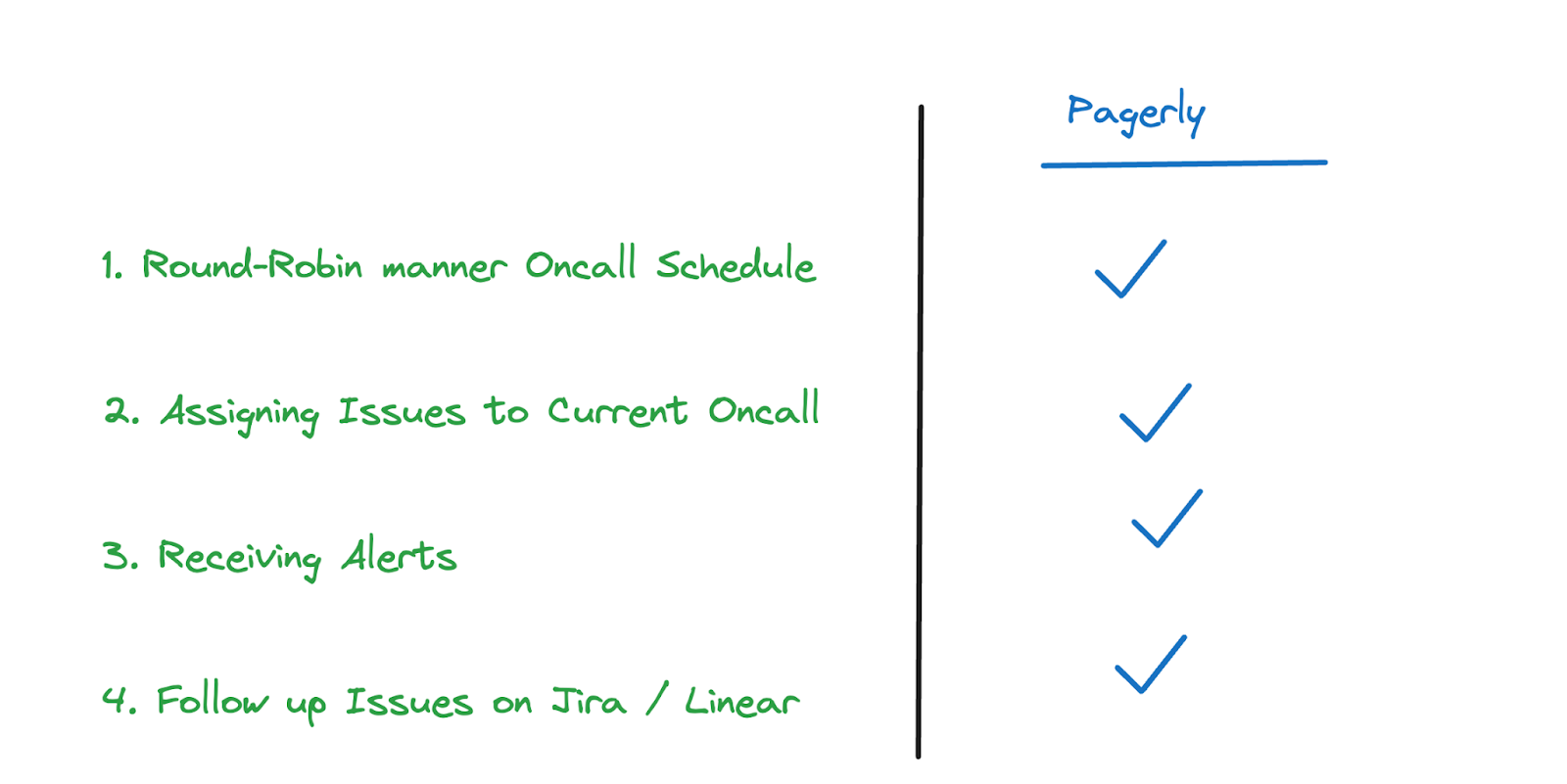
Pagerly runs the whole on-call management loop inside Slack and Microsoft Teams:
- Rotations: round-robin schedules, overrides and reminders before each handoff, built in Slack or synced from PagerDuty, Opsgenie or Google Calendar.
- Slack user groups:
@oncallalways points at the current on-call engineer. - Alerting: alerts from AWS, Datadog, Sentry and 40+ tools are assigned to the current on-call and acknowledged in Slack.
- Paging and escalation: phone call, SMS, email and app push with L1 to L2 to L3 escalation when nobody acknowledges.
- Tickets: create Jira or Linear tickets from a Slack message.
- Reports: MTTA, MTTR and alert volume per team.
Pricing is per team: $19 per team per month for rotations and Slack user group sync, $39 per team for the Starter plan with tool sync and status pages, and paging at $4 per responder per month. Four teams on Starter cost $1,872 a year; adding paging for 25 responders brings it to $3,072, about half of the PagerDuty figure above. See pricing for details.
On-Call Management FAQ
When does a startup need on-call management?
Usually once you have more than about 5 engineers or 10 paying customers, or as soon as a production issue goes unnoticed overnight.
What is the difference between on-call management and on-call alerting?
On-call management is the whole system: schedules, alerting, escalation, tickets and reporting. On-call alerting is the part that gets a monitoring signal to the right person and escalates it if nobody answers.
What is the best on-call management software for a small team?
One your team will actually use: the schedule visible in Slack, alerts acknowledged in Slack, and pricing that does not punish you for adding people to the rota. Compare options on our alternatives page.
Do we need phone call paging from day one?
Only if customers would notice an outage overnight. Many startups begin with Slack alerts during working hours and add paging once they sign customers with uptime expectations.
Running on-call from a spreadsheet or a shared channel? Set up a rotation, a Slack user group and alerting in Pagerly in about ten minutes. Get started free