

Workflow
Debug, Document and Communicate Faster with Pagerly AI
With Pagerly AI, Debug incidents faster Collaborate and Communicate easier Let Pagerly take of trivial tasks and let you FOCUS on incident Get Automated Documentation
What the agent does during an incident
It investigates from a Slack message, shows the evidence behind its conclusion, and proposes the fix - touching production only at the safety level you set.
Investigate
Root cause from one Slack message
Mention @Pagerly assist and describe the problem in plain English. The agent writes an investigation plan, queries your connected tools in parallel and posts its progress in the thread as it goes.
- No PromQL or LogQL - ask the way you would ask a colleague
- Live updates while it works: querying GitHub, Datadog, Vercel
- Typically 30 to 90 seconds, depending on how much is connected
Evidence
A report you can check, not a guess
Every investigation returns a structured incident report: what broke and why, a timeline of what happened, and links to the commits, logs and dashboards it drew the conclusion from.
- Root cause stated plainly, with its reasoning shown
- Timeline assembled across every tool it queried
- Evidence links, so you can disagree with it
Act
Suggests the fix, and can apply it
The agent proposes remediation with a rationale for each action - restart or scale a service, roll back a deploy, redeploy a Lambda, raise a PR or open a Jira ticket. Safe actions can run automatically; anything riskier waits for a human.
- Every action carries the reasoning behind it
- Two safety levels: run automatically, or require approval first
- Rollbacks and config changes always ask before acting
Scoped per team
Each team maps its own stack
Integrations are mapped to on-call teams, so an investigation only queries what is relevant to whoever is responding. Add a context prompt per integration and the agent queries it the way your team actually uses it.
- "Production namespace is prod. Critical deployments: api, worker, web."
- One team's Datadog tags never leak into another team's investigation
- Mapped from the dashboard, no config files
40+ integrations
Connects to the stack you already run
Observability, infrastructure, CI/CD, code and tickets - the agent queries them directly rather than asking you to paste output into a thread.
- Observability: Datadog, Grafana, Prometheus, Loki, Sentry, New Relic, Honeycomb, Coralogix
- Infra and CI/CD: Kubernetes, Argo CD, Helm, Jenkins, Docker, AWS, GCP, Azure, Vercel
- Code and tickets: GitHub, GitLab, Jira, ServiceNow, Confluence, ClickUp
How it works
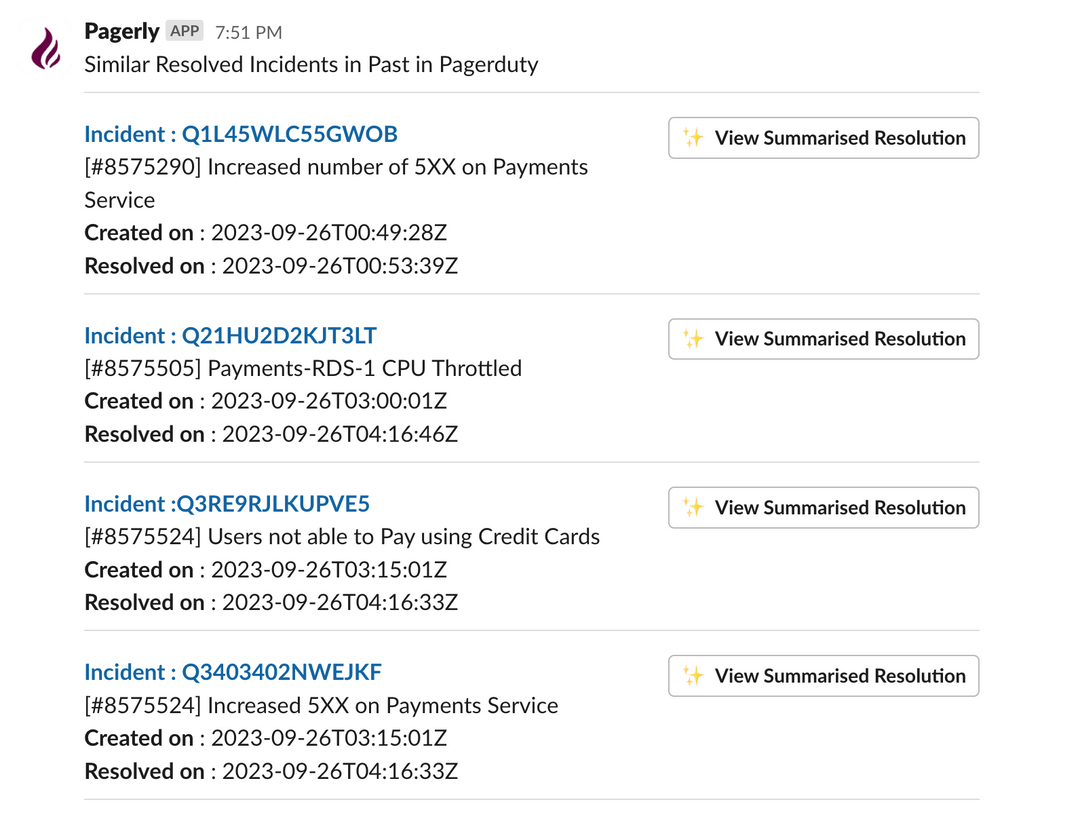
Get Similar Incidents and Resolutions from Past
Debug Incidents Faster by Pagerly prompting similar tickets along with summarised resolution.
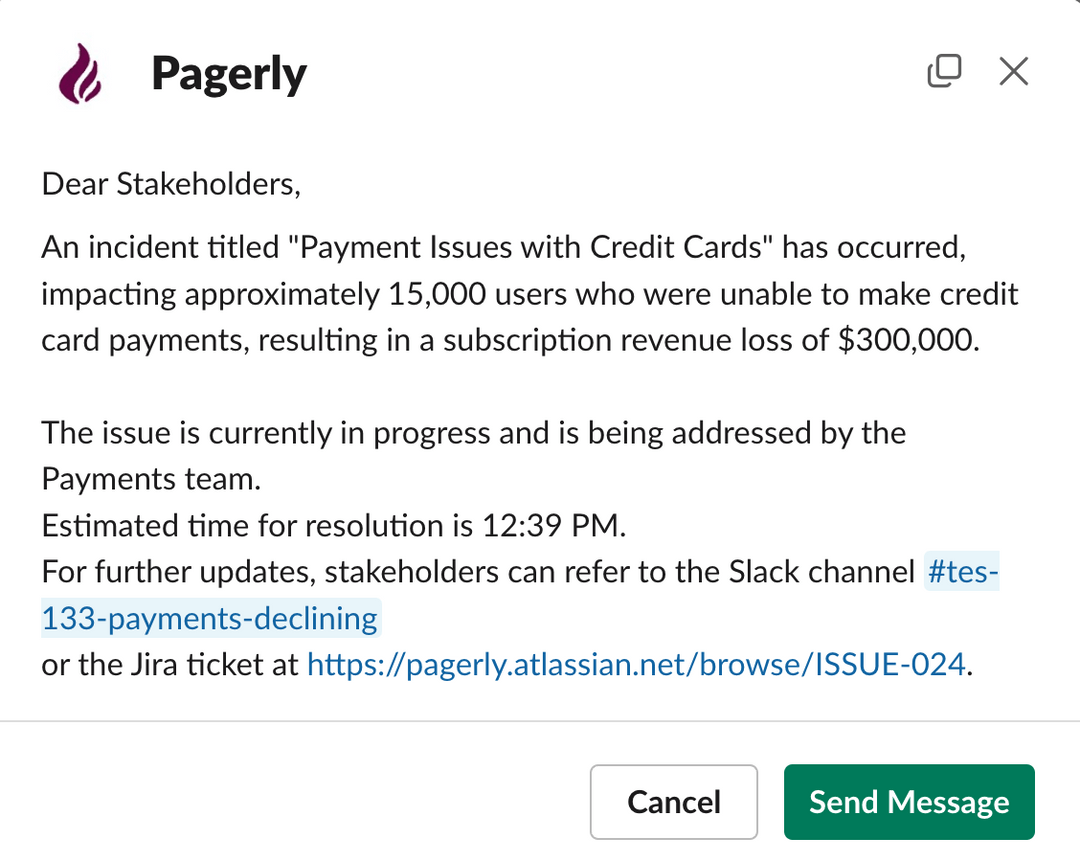
Auto - Generate Stakeholders message
Automatically Generate Current Status of the Incidents for all stakeholders from Slack itself .No need spend time on creating these messages and let Pagerly AI take care of it
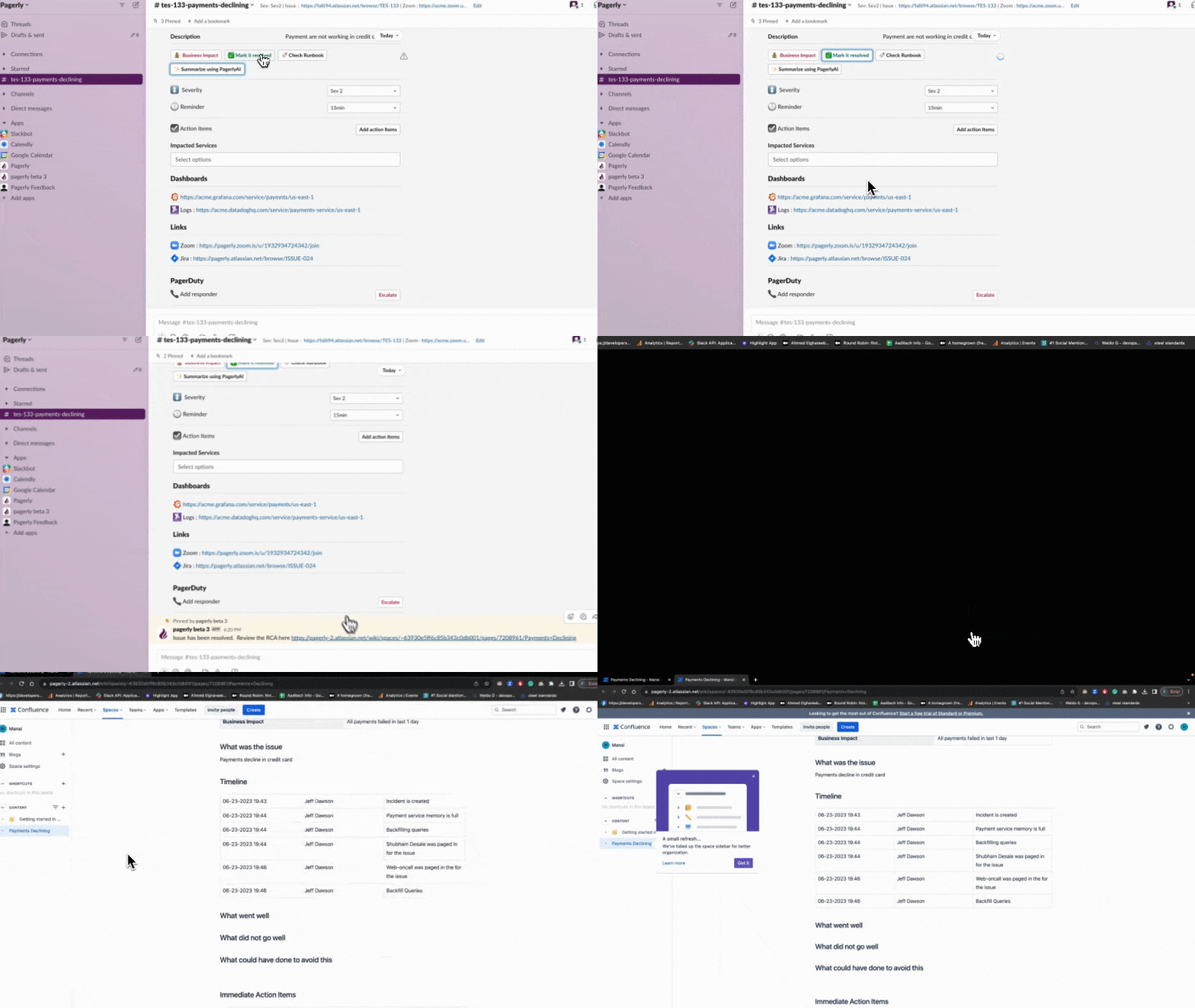
Generate RCA Post-Mortem Document
Automatically Generate RCA Post-Mortem document from the Incident and Slack Conversations
Put your on-call where your team already is.
Install in two minutes. Import your existing schedule. Page someone tonight.