

Chrome extension · New
Bug reports your engineers can act on
BugOwl captures the screenshot, the console, the failing requests and the clicks that led there - and files it to the right team in one click, straight from your Pagerly organisation.
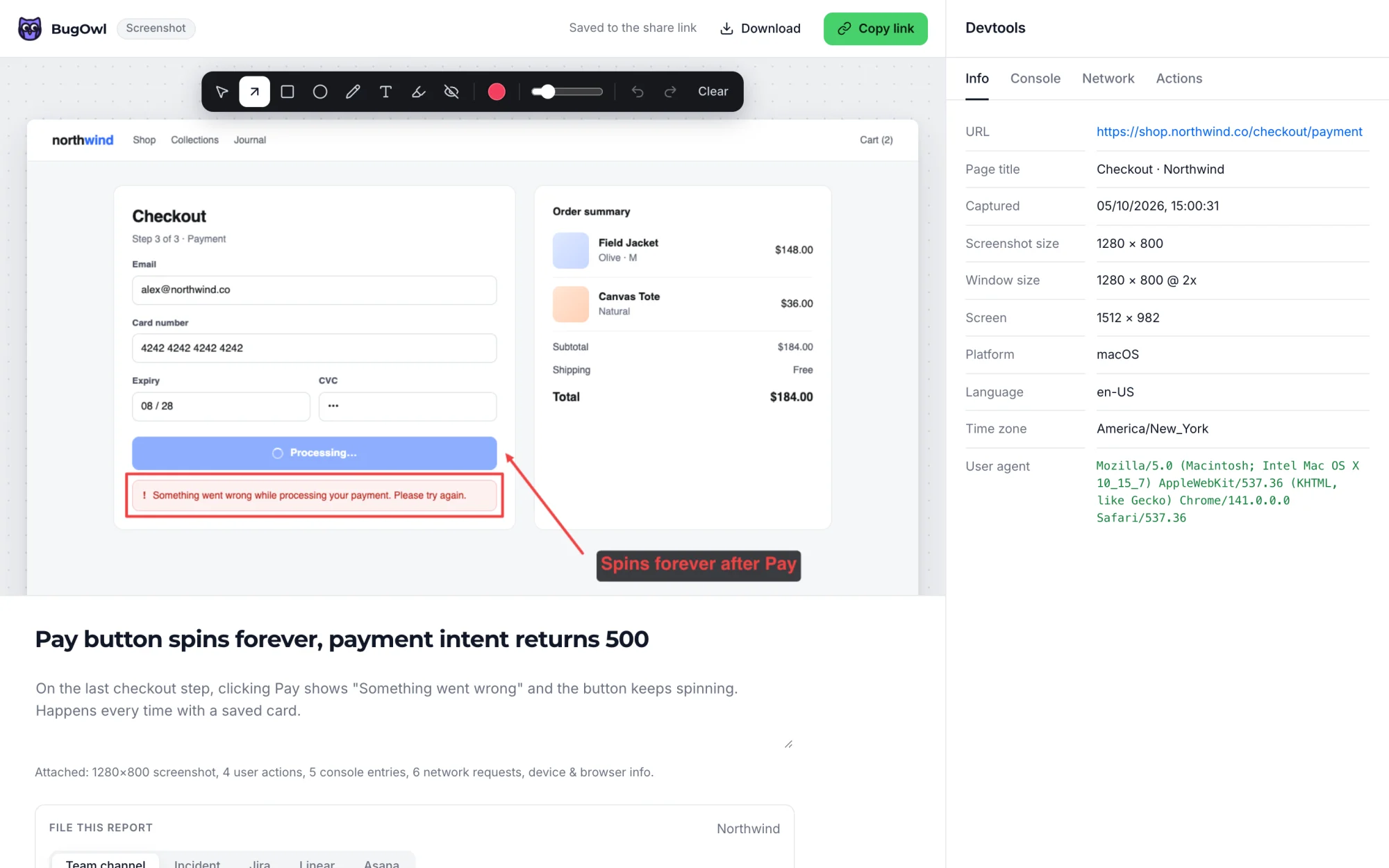
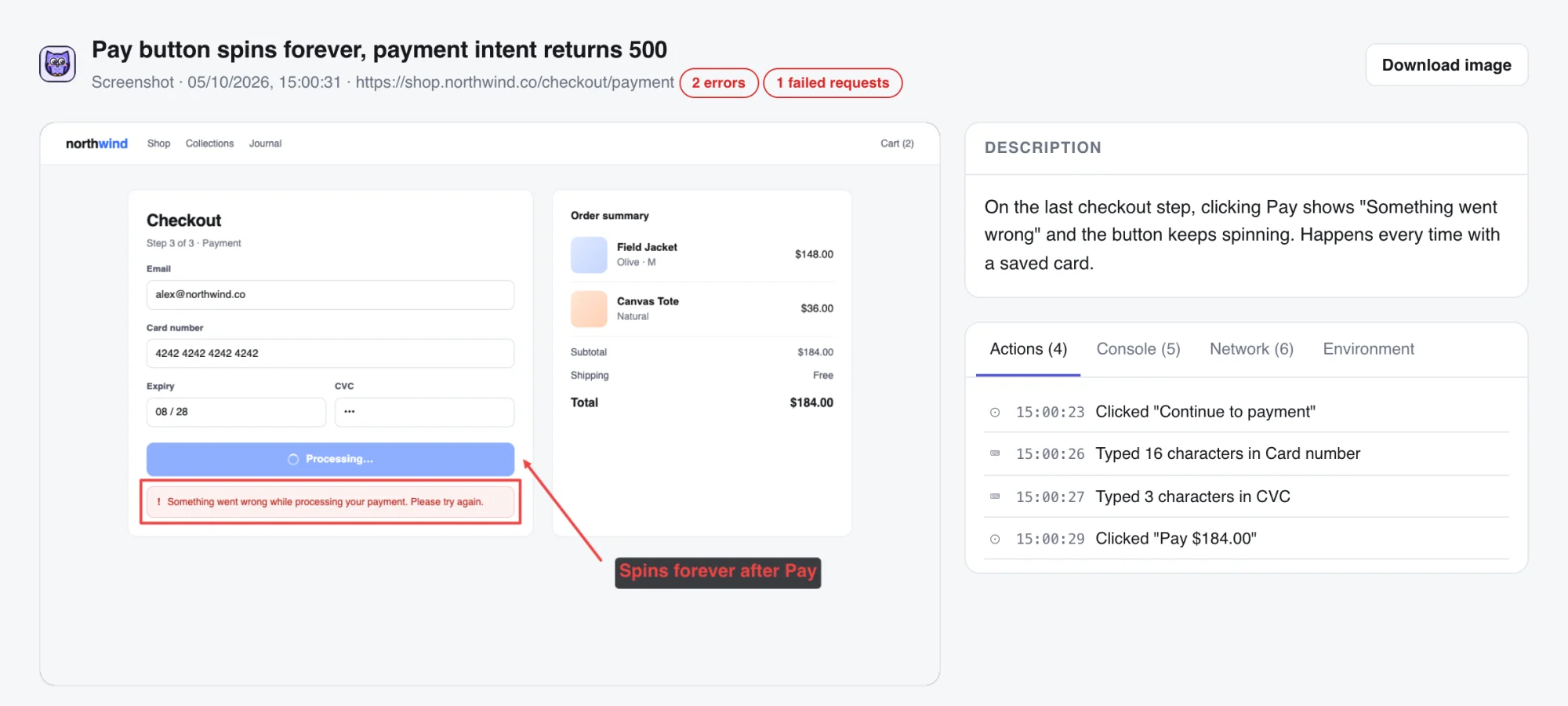
The BugOwl editor, right after pressing ⌥⇧S on a broken checkout.
Capture
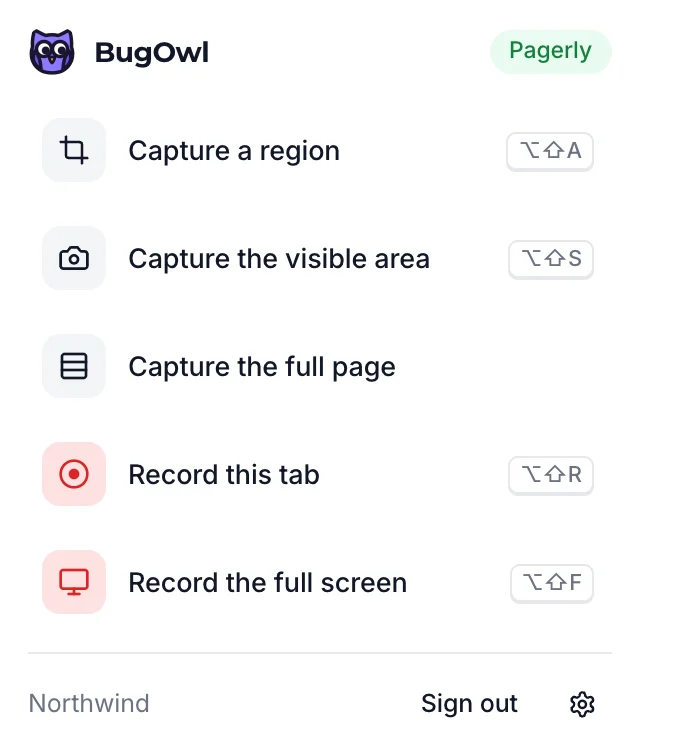
One shortcut, any bug
Grab a region, the visible page or the full page, or record the tab or your whole screen. Arrows, boxes, text, highlight and blur are one click away, and every edit saves to the same share link.
- ⌥⇧S screenshot, ⌥⇧R record the tab
- Recordings in MP4 that play inline in Slack and Jira
- Blur anything sensitive before it leaves your machine
Evidence
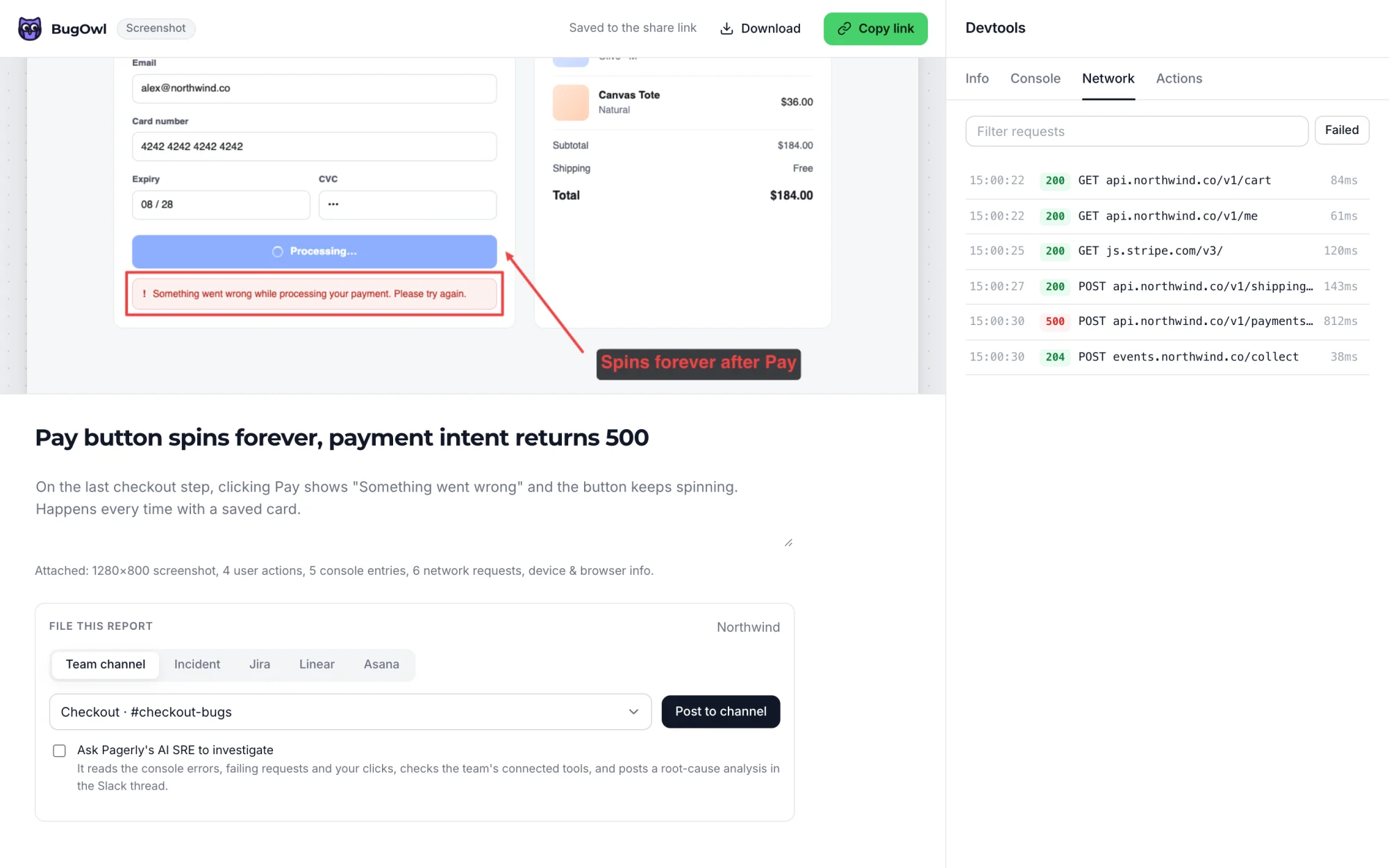
The console and network come with it
BugOwl records what the page was doing before you pressed the shortcut, so engineers stop asking which browser, which account and can you open the console.
- Console logs, warnings and errors with stack traces
- Every request with status and timing; failures flagged
- Clicks and typing that led to the bug, plus browser, OS and screen
File
Straight to the right team
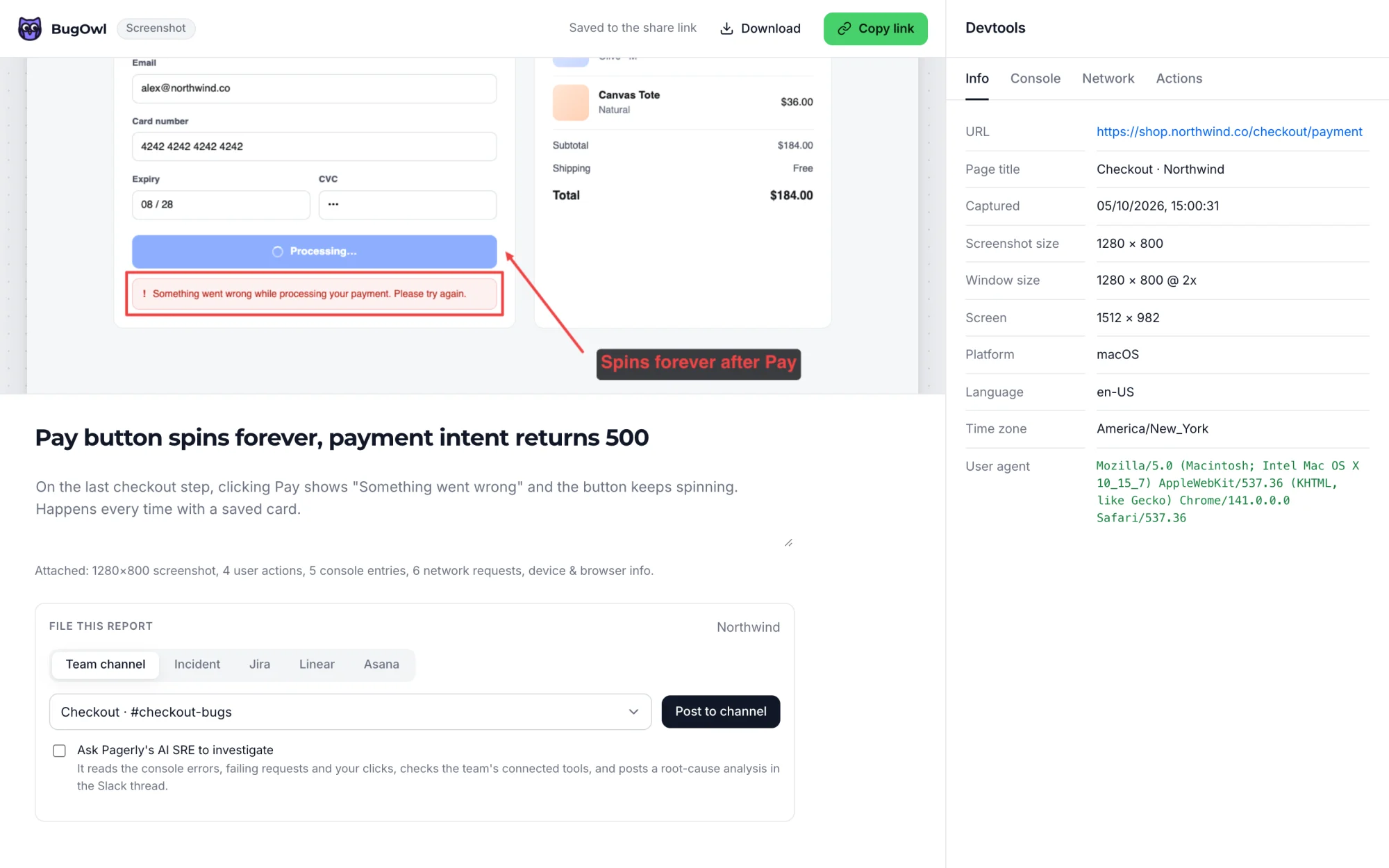
Sign in with Pagerly and BugOwl already knows your teams, their Slack channels and what your organisation has connected. Pick a destination and it's filed, screenshot included.
- A team's Slack channel
- A Pagerly incident - on-call is paged as usual
- Jira, Linear or Asana, with the capture attached
Share
A link anyone can open
Every report gets a share link with the screenshot or recording, the description and all the devtools data. No account needed to view it - paste it in a ticket, a DM or a vendor email.
- Failing requests and errors called out at the top
- Console, network, actions and environment tabs
- Edits update the same link
AI SRE
Hand the bug to the AI SRE
Tick Ask Pagerly's AI SRE to investigate when you file to a team channel or an incident. It reads the console errors, failing requests and clicks from the report, checks your team's connected tools, and posts a root-cause analysis in the Slack thread.
See it in a minute
Set up in two minutes
- 1Install
Get it from getbugowl.com/install - Chrome, Edge, Brave or Arc.
- 2Sign in with Pagerly
Click the owl in your toolbar. Your teams and connections are ready straight away.
- 3Report your first bug
Press ⌥⇧S (Alt+Shift+S) on any page, add a line about what broke, and file it.
Questions
Is BugOwl free?
Yes, on every Pagerly plan. It signs in with your Pagerly account, so there is nothing else to set up.
Do people outside our Pagerly organisation need an account?
No. Anyone can open a report from its share link. People who want to file their own reports can sign in to BugOwl with an emailed code and connect their own Slack, Linear or Jira.
What about passwords and tokens on the page?
Authorization headers, cookies and API keys are removed before anything leaves the browser, and request bodies are never sent for login, auth and token URLs. You can add your own URL patterns in settings.
Which browsers does it work in?
Chrome, Edge, Brave and Arc. The Chrome Web Store listing is in review; until it is live, getbugowl.com/install walks you through adding it in about a minute.
Can the AI SRE look at the bug for us?
Yes. When you file to a team channel or an incident, tick Ask Pagerly's AI SRE to investigate. It reads the errors and failing requests, checks the team's connected tools, and posts a root-cause analysis in the Slack thread.
Put your on-call where your team already is.
Install in two minutes. Import your existing schedule. Page someone tonight.