

Pagerly Honest Review (2026)
An honest review of Pagerly: features, pricing, pros, cons, and who it suits.
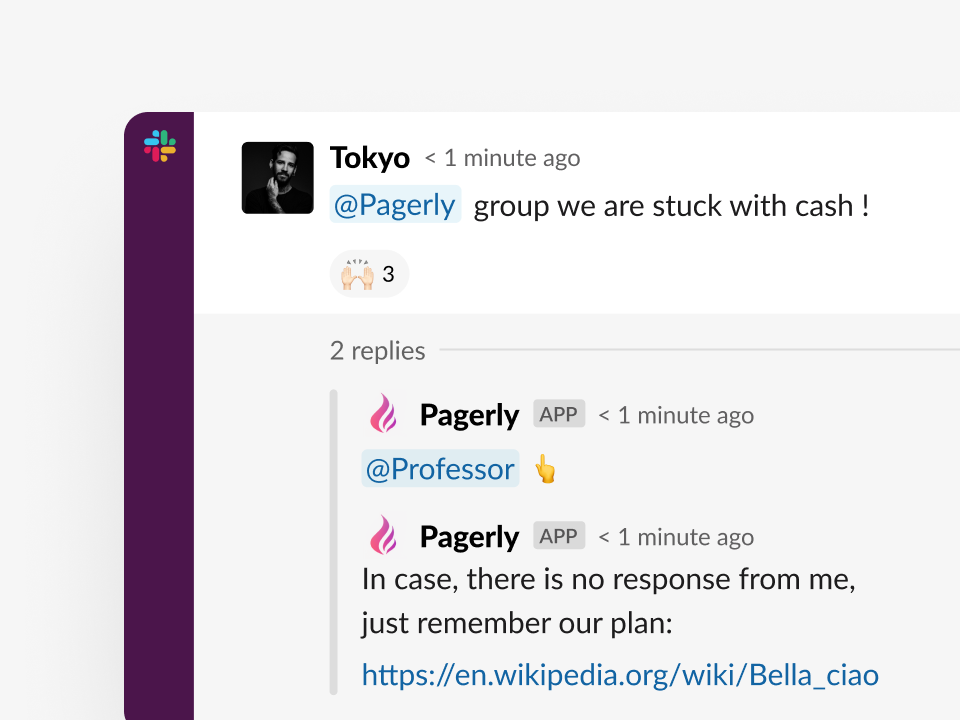
Short answer: Pagerly is a Slack-native on-call and incident management tool best suited to teams that run operations in Slack and want flat, per-team pricing. It is strong on scheduling, usergroup sync, paging, and incident response, and its main limitation is that it is built around Slack. This honest review covers what works, what does not, and who should use it.
Key takeaways
| Aspect | Verdict |
| Best for | Slack-first DevOps and SRE teams |
| Pricing | Flat per team, from $19/mo |
| Strength | Usergroup sync and Slack workflow |
| Limitation | Slack-centric by design |
What is Pagerly?
Pagerly is a Slack app for managing on-call schedules, paging, incidents, and tickets without leaving Slack. It is used by more than 1,000 organizations, including teams at 1Password, Disney+, Spotify, and Loom, and was a Product Hunt top product. The full feature set is in the developer docs.
Features that stand out
Slack usergroup sync
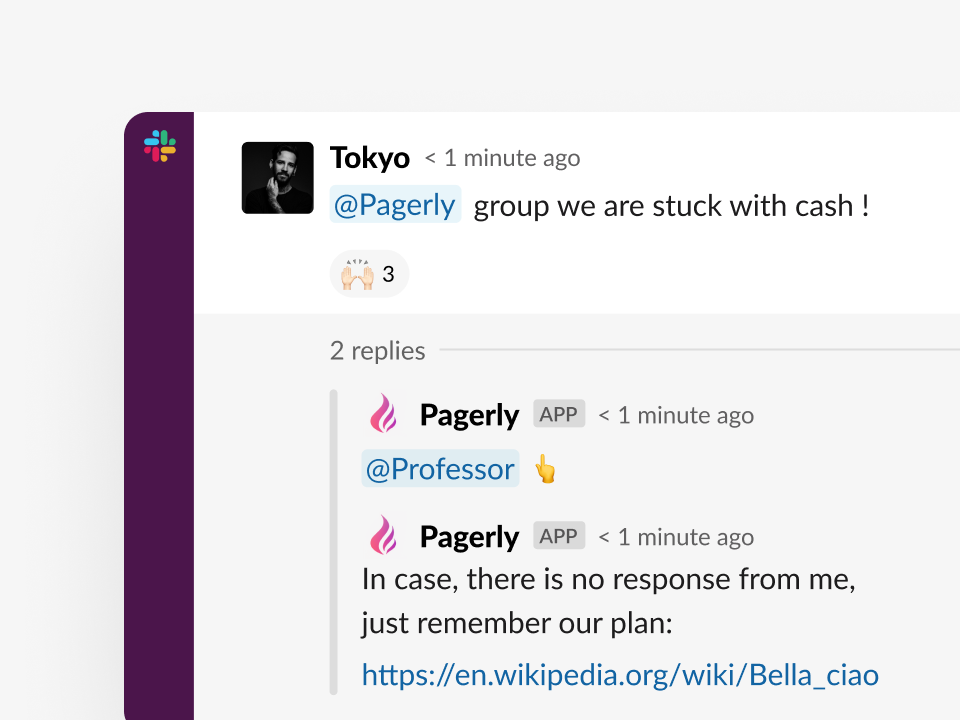
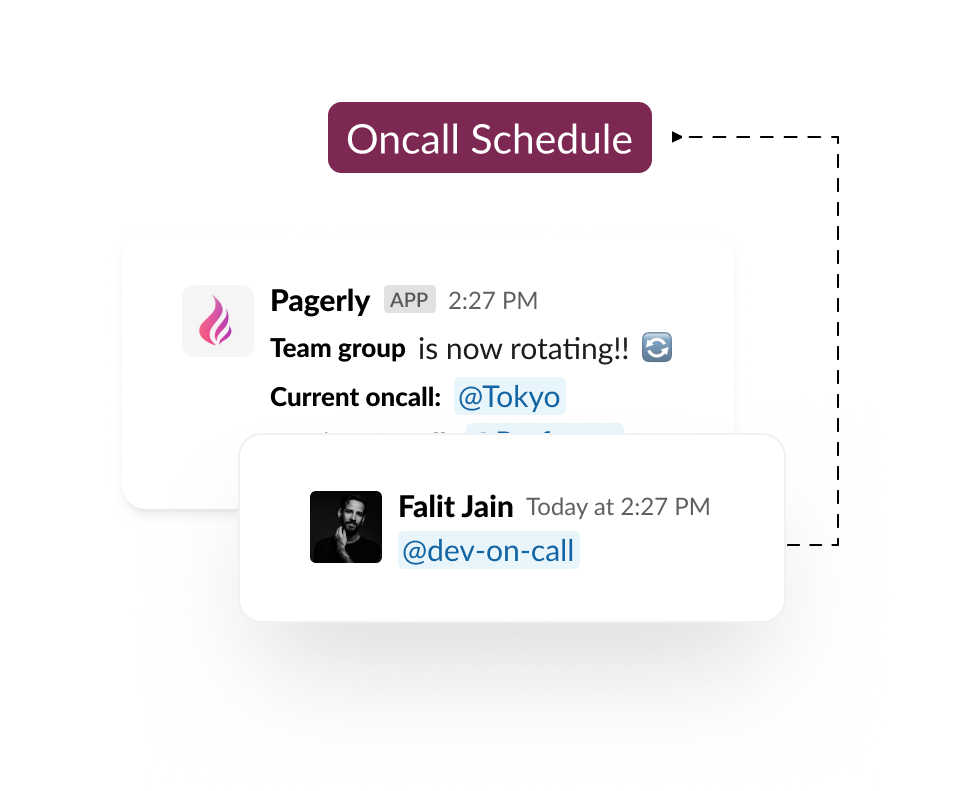
Pagerly keeps a Slack group like @sre-oncall pointed at the current responder automatically, so mentions never go stale. See the usergroup sync workflow.
Scheduling and rotations
Round-robin and custom rotations, overrides, and reminders are built in Slack. See rotations and the docs.
Paging
Call and SMS paging with multi-level escalation through on-call paging.
Incident response
Automatic incident channels, roles, stakeholder updates, and AI post-mortems via the incident response bot.
Integrations
Two-way sync with Jira, PagerDuty, and Opsgenie, plus Datadog, Sentry, and AWS through integrations.
How teams actually use Pagerly
In practice, teams adopt Pagerly for a few clear jobs. SRE teams use it to keep an @oncall Slack usergroup accurate so any engineer can mention the current responder without checking a schedule. Platform teams migrating off PagerDuty or Opsgenie use the schedule import and sync to avoid rebuilding rotations. Smaller startups use the flat plan to get real paging without a per-user bill. Support and operations teams use the task management and ticketing features to assign work in round-robin. The common thread is that the work stays in Slack.
Pros
- Flat per-team pricing instead of per-user, so cost does not grow with the team
- Full on-call and incident workflow inside Slack
- Automatic @oncall usergroup sync
- Imports schedules from PagerDuty and Opsgenie
- AI post-mortems and MTTA and MTTR tracking included
- Fast setup, usually minutes
Cons
- Built around Slack, so it is less suited to teams that do not use Slack
- Newer than the largest legacy incumbents like PagerDuty
- The fully customised incident-response tier is quote-based for advanced needs
Pricing
Pagerly is flat per team: Basic at $19 per month and Starter at $39 per month, with paging at $4 per user per month and a custom workflow tier. Full details on the pricing page.
Pagerly vs the competition
Against per-user and per-responder tools, Pagerly's flat pricing is the headline difference. For detailed head-to-head comparisons, see Pagerly vs PagerDuty, Pagerly vs Opsgenie, Pagerly vs Incident.io, and Pagerly vs Grafana OnCall.
Who should use Pagerly?
- Slack-first DevOps and SRE teams: the best fit.
- Teams leaving Opsgenie or cutting PagerDuty costs: strong fit, with schedule import.
- Startups wanting real paging without per-user cost: the flat plan fits.
- Teams that do not use Slack: less suitable.
Getting started with Pagerly
- Add Pagerly to your Slack workspace from the homepage.
- Create or import a rotation per the docs.
- Turn on @oncall usergroup sync and enable paging.
- Connect monitoring and run incidents through the incident bot.
Frequently asked questions
Basics
Is Pagerly good? For Slack-first teams, yes. It combines on-call, paging, and incidents in Slack at flat pricing and is used by 1,000+ orgs.
Does Pagerly work outside Slack? Pagerly also supports Microsoft Teams and Discord, but it is designed first for Slack.
Pricing
How much does Pagerly cost? Flat per team from $19 per month, with paging at $4 per user per month. See pricing.
Is there a free trial? You can add Pagerly to Slack with no credit card to try it. See the homepage.
Comparisons
How does Pagerly compare to PagerDuty and Incident.io? See Pagerly vs PagerDuty and Pagerly vs Incident.io.
Migration
Can I import my schedules? Yes, from PagerDuty and Opsgenie per the docs.
Verdict
Pagerly is the best on-call and incident tool for teams that live in Slack and want predictable, flat pricing. If your operations already run in Slack, it removes context switching, keeps @oncall accurate, and includes AI post-mortems, all without a per-user bill. The main caveat is that it is built around Slack, so teams that work elsewhere will get less from it. For everyone else, it is an easy recommendation. Explore the workflows, check pricing, or read the docs. Add Pagerly to Slack for free.