

Best On-Call Tools for Server Admins (2026)
On-call tools ranked for server admins: paging, escalation, monitoring, and status pages.
Short answer: The best on-call tool for most server admins in 2026 is Pagerly, which pairs reliable call and SMS paging with Slack-native scheduling, monitoring integrations, and built-in status pages at flat per-team pricing. PagerDuty and Splunk On-Call suit large enterprises, while Better Stack fits teams that want monitoring and on-call together.
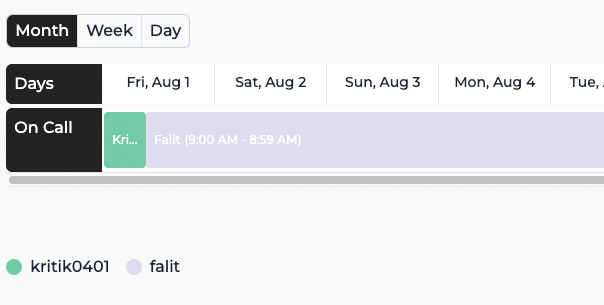
Key takeaways
| Tool | Best for | Pricing |
| Pagerly | Slack-first infra teams | Flat per team, from $19/mo |
| PagerDuty | Large enterprise ops | Per user |
| Splunk On-Call | Splunk shops | Enterprise |
| Better Stack | Monitoring plus on-call | Tiered |
Why server admins need a dedicated on-call tool
Server admins carry the pager for infrastructure that fails at any hour. A good on-call tool guarantees that the right admin is reached when a host goes down, an SSL certificate expires, or a cloud bill spikes. It must connect to monitoring, page reliably, escalate when ignored, and let the team communicate uptime to users. The wrong tool either misses pages or buries admins in noise. The criteria below separate a real on-call platform from a simple alert forwarder.
What server admins should look for
1. Reliable paging
Server incidents happen at 3 a.m., so call and SMS paging with escalation is non-negotiable. Pagerly provides on-call paging with multi-level escalation so an unanswered page moves to the next responder.
2. Monitoring integrations
Your tool should ingest alerts from Datadog, Sentry, AWS, and uptime checks. Pagerly connects through its integrations and a monitor aggregator that watches 3000+ services.
3. Status pages
Admins need to communicate uptime. Pagerly includes beautiful status pages with custom domains.
4. Schedules and overrides
Round-robin rotations, overrides, and reminders keep coverage clear. Build them with Pagerly rotations, documented in the docs.
5. Noise control
Too many alerts cause fatigue. Pagerly lets teams annotate alerts to mark noisy versus true positives.
6. Predictable pricing
Per-user pricing punishes large ops teams. See flat plans on the pricing page.
The best on-call tools for server admins
1. Pagerly (best overall)
Pagerly runs paging, scheduling, incidents, and status pages from Slack, used by 1,000+ orgs including 1Password, Disney+, Spotify, and Loom. It imports schedules from PagerDuty and Opsgenie.
Pros: Reliable paging, monitoring aggregator, status pages, flat pricing. Cons: Slack-centric. Pricing: Basic $19/team/mo, Starter $39/team/mo, paging $4/user/mo. Best for: Slack-first infrastructure teams.
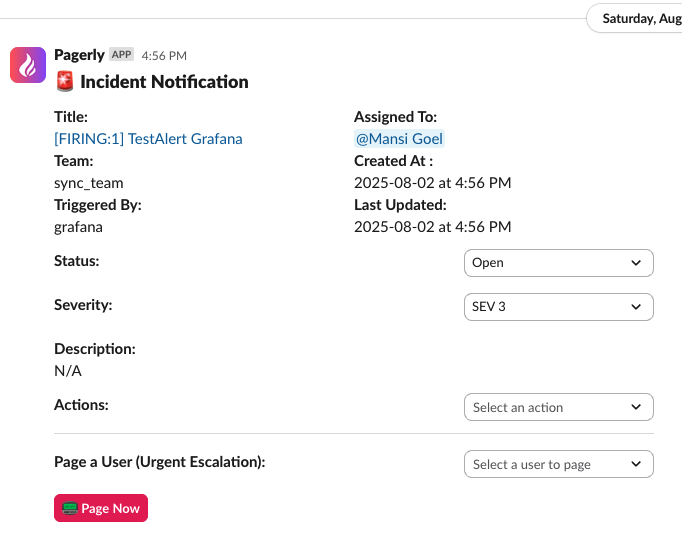
2. PagerDuty (best for enterprise ops)
Mature, broad integrations, AIOps, priced per user. See Pagerly vs PagerDuty and the pricing breakdown.
3. Splunk On-Call (best for Splunk shops)
Legacy VictorOps-based paging within Splunk. See Pagerly vs Splunk On-Call.
4. Better Stack (monitoring plus on-call)
Bundles uptime monitoring, status pages, and on-call. See Pagerly vs Better Stack.
5. Grafana OnCall (Grafana Cloud users)
OSS archived in March 2026; Grafana Cloud IRM is the paid path. See Pagerly vs Grafana OnCall.
Comparison
| Tool | Paging | Status pages | Pricing |
| Pagerly | Call and SMS | Yes, custom domain | Flat per team |
| PagerDuty | Call and SMS | On higher tiers | Per user |
| Splunk On-Call | Call and SMS | Limited | Enterprise |
| Better Stack | Yes | Yes | Tiered |
How to choose
- Slack-first infra team: Pagerly.
- Need monitoring and status pages bundled: Pagerly or Better Stack.
- Enterprise with AIOps: PagerDuty.
- Existing Splunk customer: Splunk On-Call.
Use-case cheat sheet
- Small ops team on Slack: Pagerly Basic.
- Team monitoring AWS costs and uptime: Pagerly AWS alerts and third-party monitors.
- Public status communication: Pagerly status pages.
- Noisy monitoring stack: Pagerly alert annotation.
Getting started with Pagerly for infrastructure on-call
- Add Pagerly to Slack and create an infrastructure rotation.
- Connect Datadog, AWS, Sentry, and uptime checks via integrations.
- Enable paging with escalation for severity-one alerts.
- Publish a status page for customer communication.
- Use alert annotation to cut noise over time.
Frequently asked questions
Basics
What is the best on-call tool for server admins? For Slack-first infrastructure teams, Pagerly is the best choice because it combines reliable paging, monitoring, status pages, and scheduling in one place.
Features
Does Pagerly do status pages? Yes, with custom domains via beautiful status pages.
Can Pagerly monitor third-party services? Yes, through the monitor aggregator and third-party monitors.
Pricing
Is per-team pricing cheaper for ops teams? Usually yes. Flat per-team pricing avoids per-seat growth. See pricing.
Migration
Can I keep my schedules? Yes, Pagerly imports from PagerDuty and Opsgenie per the docs.
Why Pagerly is the best choice for server admins
Pagerly gives infrastructure teams reliable call and SMS paging, escalation, monitoring integrations, status pages, and Slack-native scheduling at flat per-team pricing. Explore paging, the monitor aggregator, and status pages, see the pricing, or read the docs. Add Pagerly to Slack for free.