

Workflow
Fastest, Easiest way to Support Customers on Slack
Manage customer operations seamlessly through Slack with Pagerly. Improve responsiveness and customer satisfaction with streamlined communication.
Create , Assign, Follow up Customer Request within Slack itself. Collaborate with customers within Slack using 2-way ticketing integrations, email integration, automated reminders, get entire list all within Slack. Assign Tasks/Tickets to current on rotation, round-robin, or randomly, randomly or to specific user Stream and Combine all Messages in a single triage channel. Also connect external sources like Jira, HubSpot, Salesforce, Asana or any other tool of your choice
- 40%Reduction in response time
- 100%Of your team collaborating on tickets
- 30%Queries answered automatically
Customer Operations
Streamline ops within Slack. Connect with External Tools
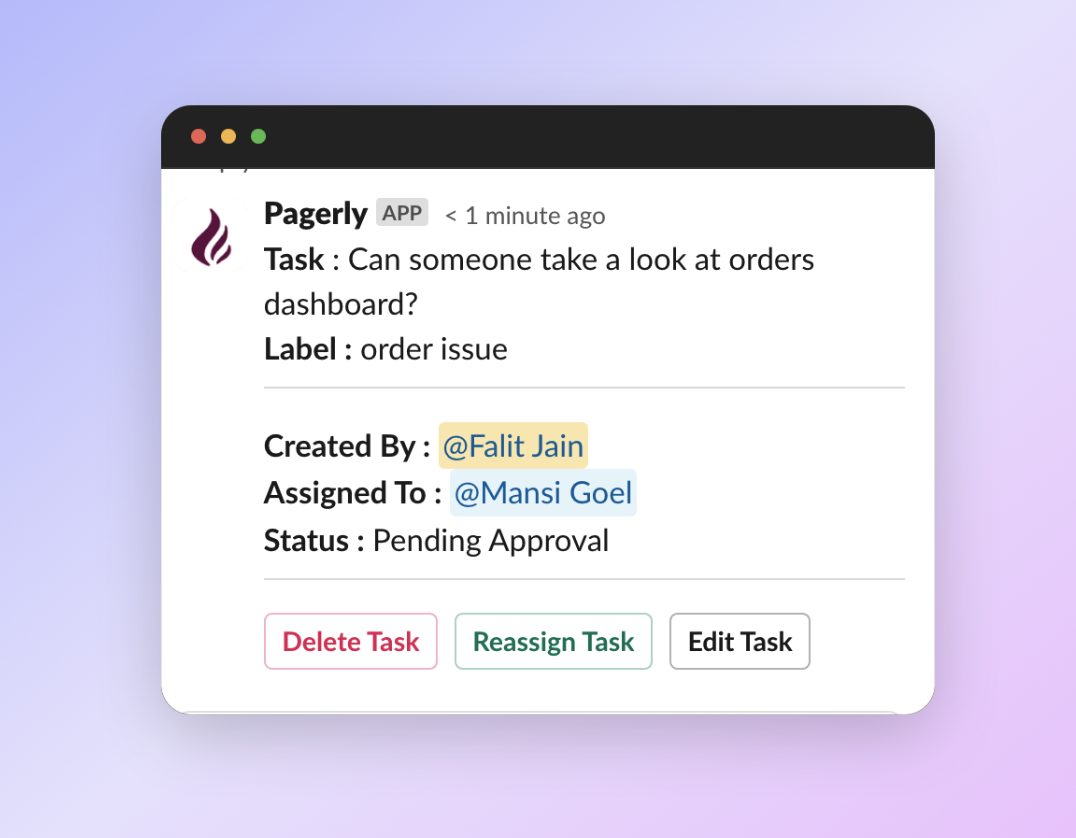
Automatically Assign Tickets / Tasks
Assign Tasks/Tickets to current on rotation, round-robin, or randomly, or to specific user.

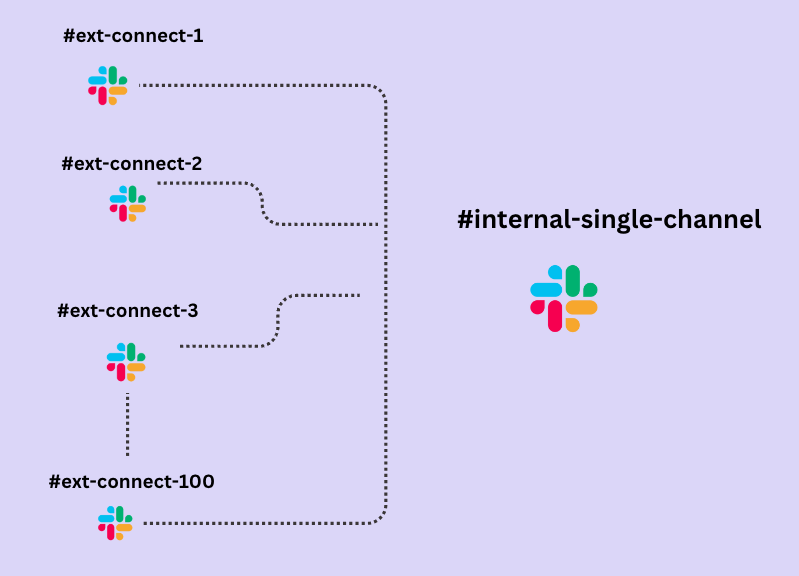
Streamline all messages to single triage channel
Streamline request handling in Slack by integrating multiple channels into one single queue. Allocate specific team members to each request to ensure clear responsibility and efficient management of customer inquiries. By centralizing, assigning, and tagging within Slack, teams can significantly improve their responsiveness and effectiveness in addressing customer needs.

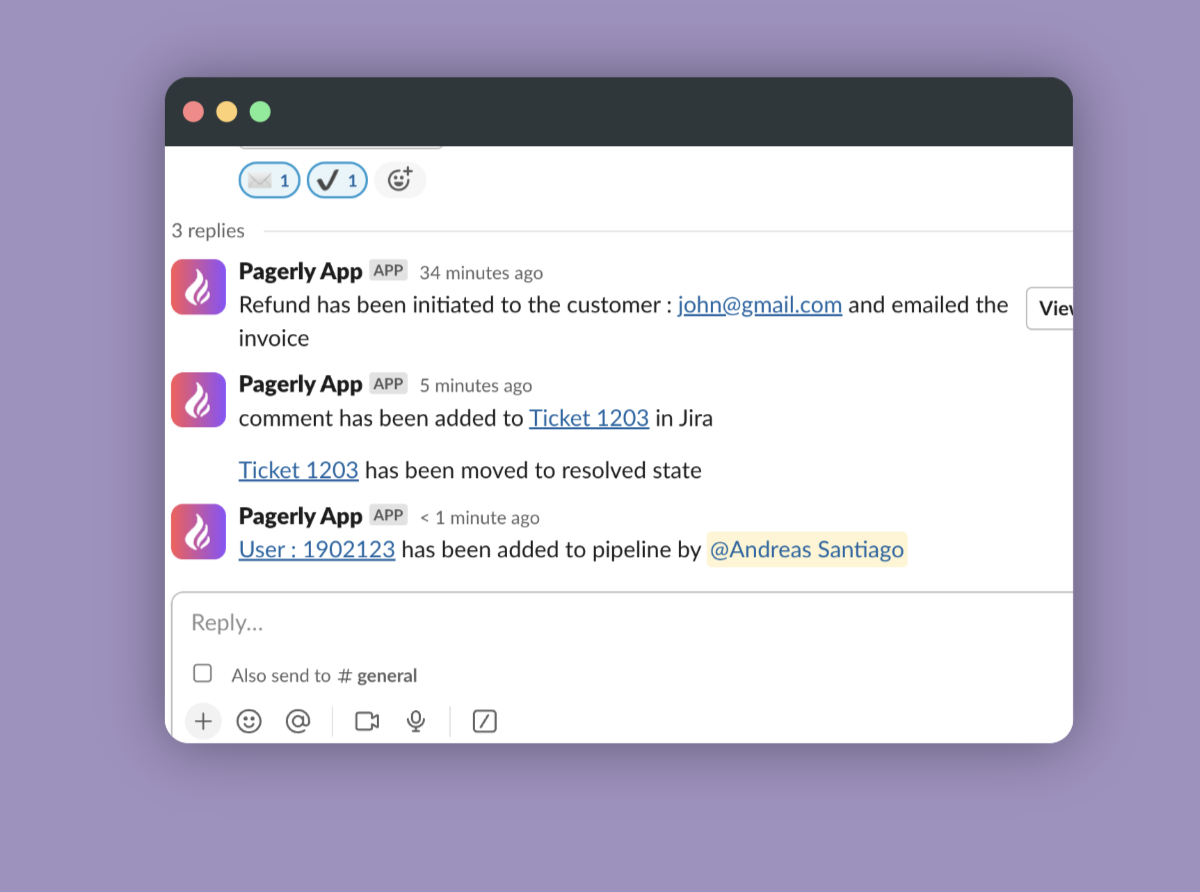
Have 2 way deep sync with your CRM, Ticketing System
Bi-Sync messages to your preferred tool automatically.Transition tickets, users within Slack

Convert Message to create Tickets
Automatic Ticket creation from Slack from anywhere on Slack. Use Emojis to manually create Slack Channels Connect to Jira , HubSpot, Salesforce, Asana or any other tool of your choice.

SLA Alerts on Slack
Get hold of your team with Tasks passing SLA or due date all within Slack.

Use Emojis Kick off Workflows
Want to send email ?Want to trigger an API? Trigger your workflows via Pagerly. Use Emojis to Trigger Workflows within Slack

Create Channel for Tickets
Create dedicated channels for certain tickets. Sync Messages and Conversation to External Tool.

Get a Single View of Tasks
Follow up yours & your Team Task within Slack. Get report on teams.

How it works
Automatically Assign Tickets / Tasks
Assign Tasks/Tickets to current on rotation, round-robin, or randomly, or to specific user.
Streamline all messages to single triage channel
Streamline request handling in Slack by integrating multiple channels into one single queue.Allocate specific team members to each request to ensure clear responsibility and efficient management of customer inquiries. By centralizing, assigning, and tagging within Slack, teams can significantly improve their responsiveness and effectiveness in addressing customer needs.
Have 2 way deep sync with your CRM, Ticketing System
Bi-Sync messages to your preferred tool automatically.
Transition tickets, users within Slack
Convert Message to create Tickets
Automatic Ticket creation from Slack from anywhere on Slack. Use Emojis to manually create Slack Channels
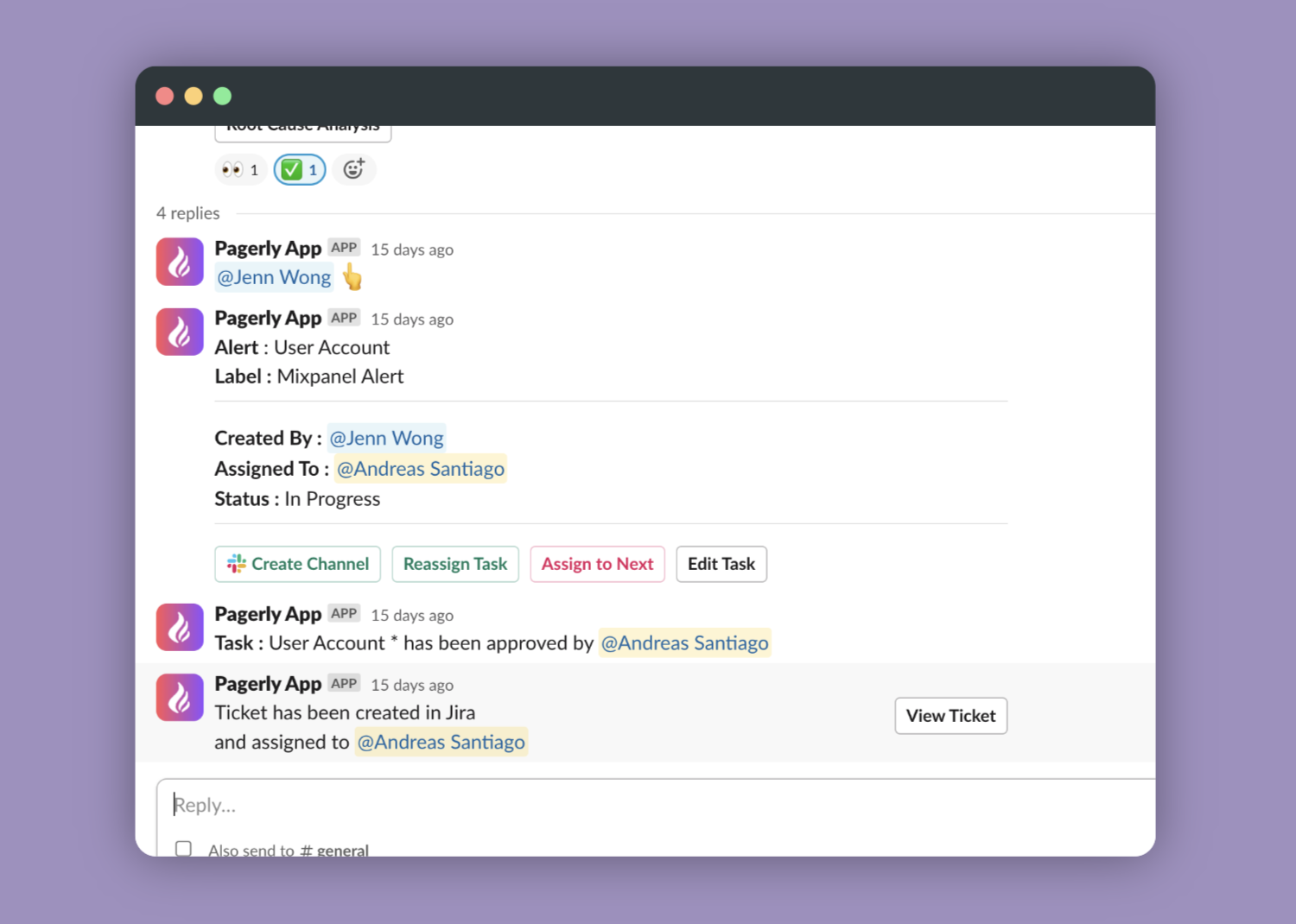
Connect to Jira , HubSpot, Salesforce, Asana or any other tool of your choice.
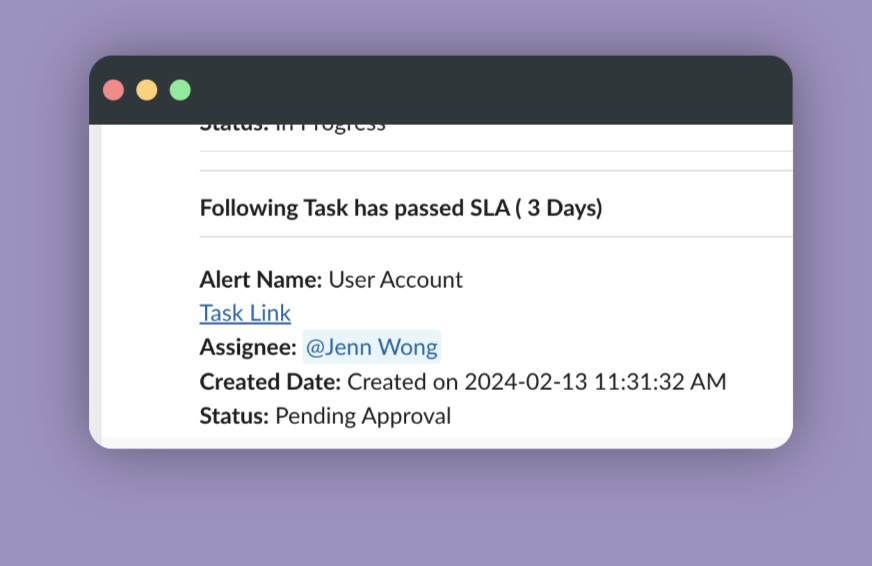
SLA Alerts on Slack
Get hold of your team with Tasks passing SLA or due date all within Slack.
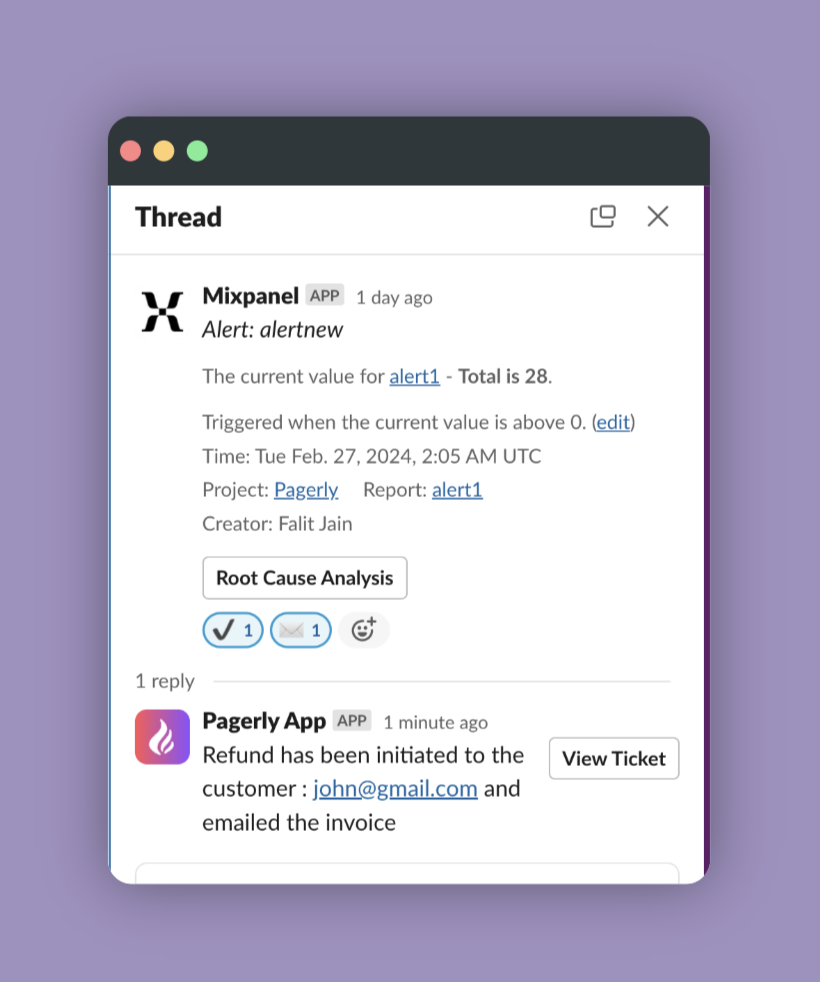
Use Emojis Kick off Workflows
Want to send email ?Want to trigger an API? Trigger your workflows via Pagerly. Use Emojis to Trigger Workflows within Slack
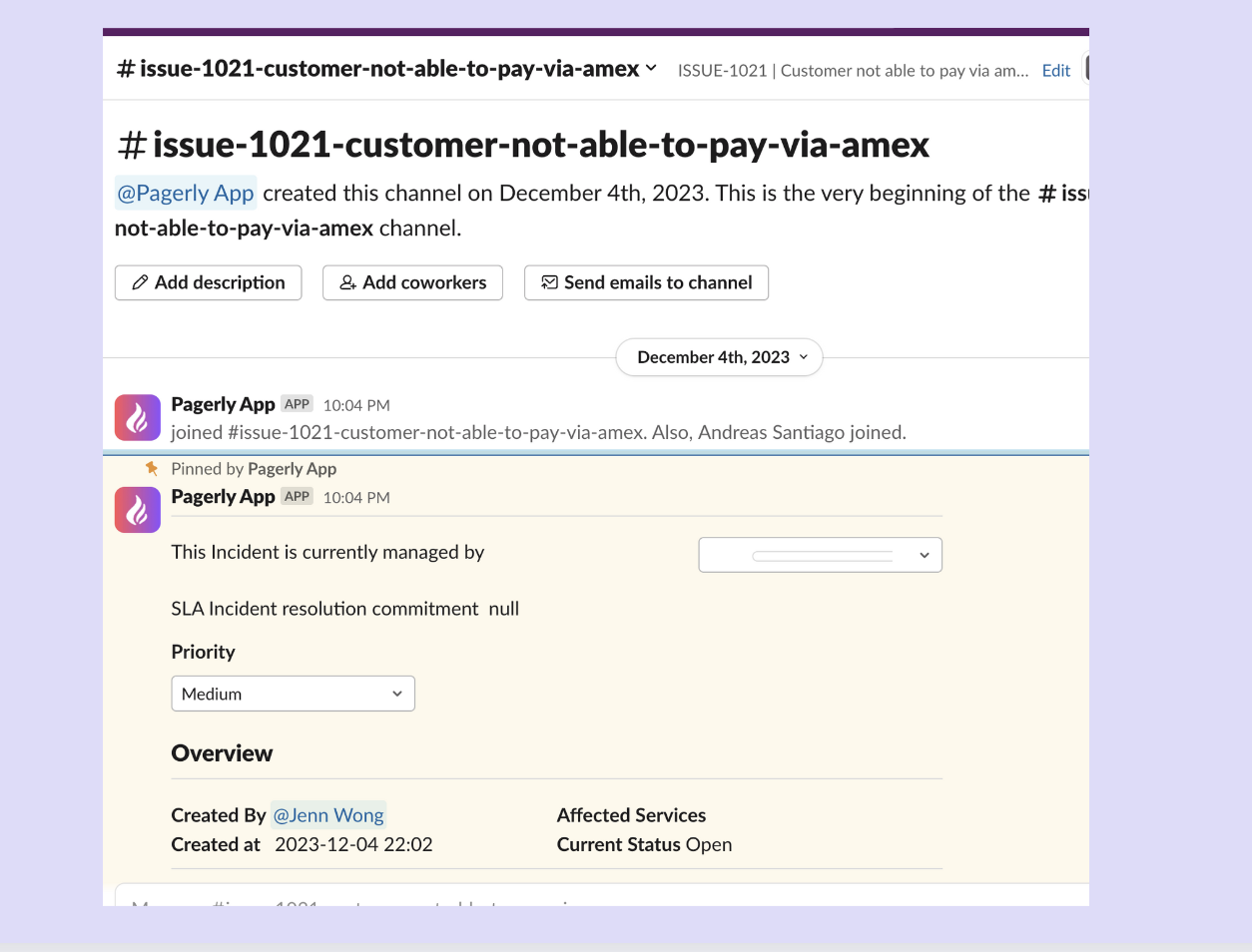
Create Channel for Tickets
Create dedicated channels for certain tickets. Sync Messages and Conversation to External Tool.
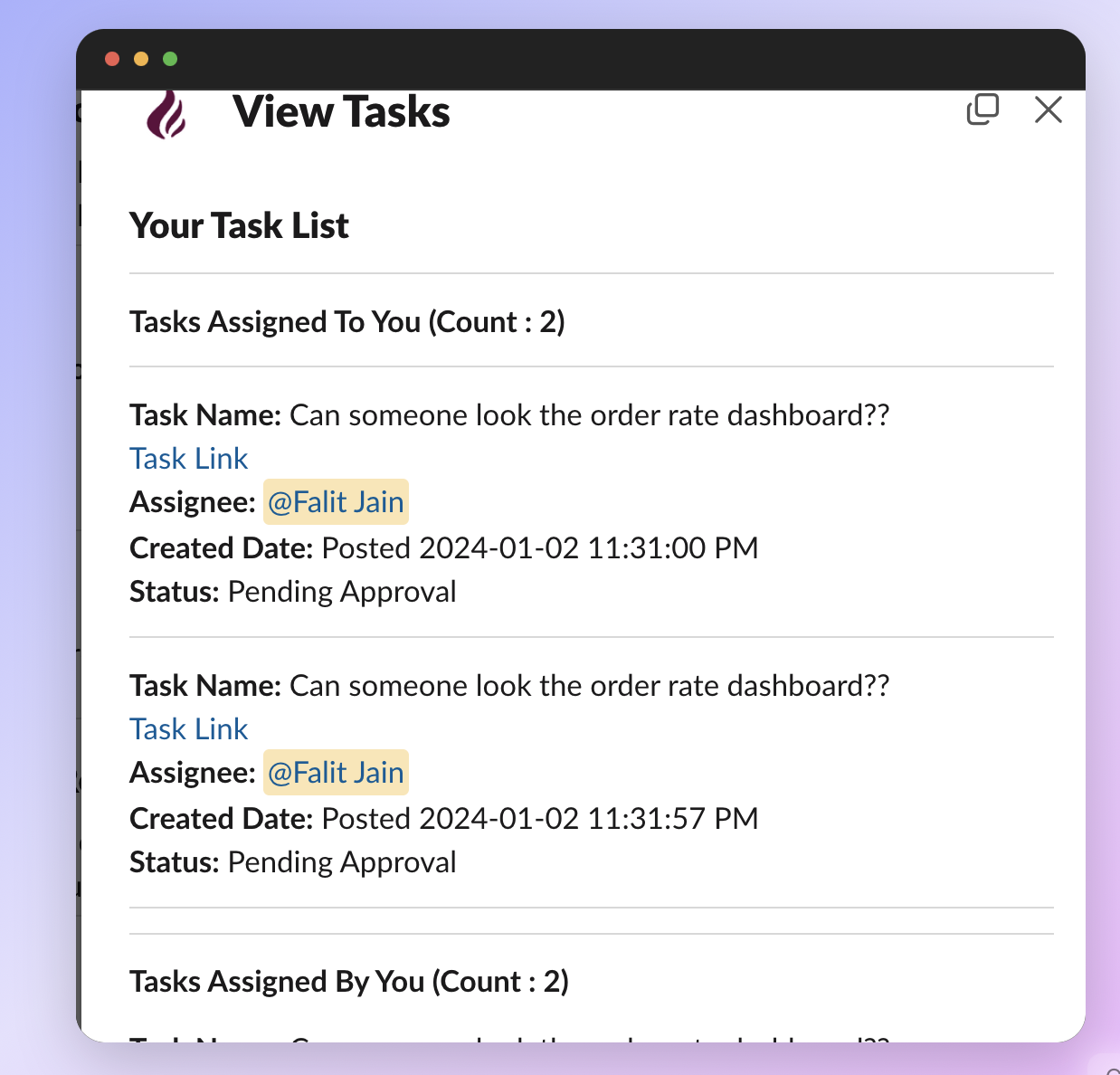
Get a Single View of Tasks
Follow up yours & your Team Task within Slack. Get report on teams.
Put your on-call where your team already is.
Install in two minutes. Import your existing schedule. Page someone tonight.