

Top 10 Slack apps for Developers in 2024
Explore the top 10 best Slack apps in 2024 for developers. Find the perfect productivity Slack apps for Engineering Teams
The top Slack apps for developers have been categorised for 2024. This post has everything you need, whether you work in a team or just want some bots for yourself. Even though some of the tools on the list aren't specifically for the development team, we included them since we thought some people might find them useful.
Productivity apps for Slack
We'll look at the Slack apps in this area that can make tech teams and individuals more productive.
1. Pagerly
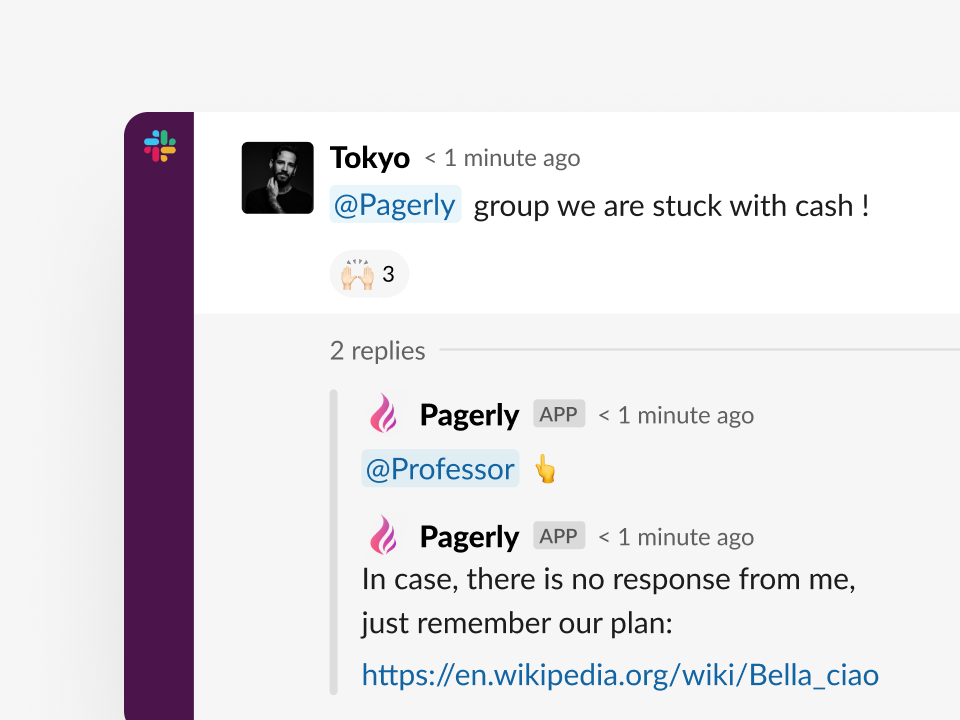
Pagerly helps you to Manage Operations within Slack with Ease.
Used by 400+ organisations to efficiently manage tickets / incidents / oncalls over Slack
It features robust two-way integrations with major services like PagerDuty, OpsGenie, Jira, GitHub, ZenDesk, HubSpot, and Salesforce, ensuring a seamless workflow across various platforms. Users can synchronize on-calls directly with Slack Usergroups, create custom rotations, and manage tasks, Jira incidents, and tickets all within a single Slack channel. Pagerly stands out as an effective solution for enhancing operational efficiency directly from Slack.
What we enjoy 👍
Tailormade workflows for everyone.
Quick - fast support
Most flexible and simplest pricing
2. Pomodoro Tracker
Pomodoro Tracker is a simple yet effective tool designed to help you stay focused by breaking your work into intervals, traditionally 25 minutes long, followed by short breaks. By integrating with Slack, it automatically notifies your team when you are in focus mode, reducing the likelihood of interruptions. This tool is perfect for those who follow the Pomodoro Technique to enhance productivity.
Pricing: The Pomodoro Tracker is free to use.
What we enjoy:
- Straightforward and effective in helping you stay focused.
- Integrates with Slack, notifying your team when you're in focus mode.
- Keeps everyone informed and reduces interruptions.
3. GoLinks Shortcut
GoLinks Shortcut provides a seamless way to manage and access important URLs within your organization. By creating easy-to-remember shortcuts, GoLinks allows teams to quickly navigate to frequently used resources, reducing the time spent searching for links. This tool is particularly useful for teams with a large repository of shared links.
Pricing: GoLinks offers a free plan with basic features, and paid plans starting at $1 per user per month for advanced features and analytics.
What we enjoy:
- Easy access to vital company URLs.
- Simple and efficient shortcut creation.
- Helps streamline workflows by centralizing important links.
4. Vidyard
Vidyard is a video creation and sharing platform designed for businesses that need to communicate asynchronously. It allows users to record their screen or themselves and share the videos with others. This tool is ideal for visual explanations, tutorials, and personalized communication. Vidyard’s integration with Slack enables easy sharing of videos directly within your team’s communication channels.
Pricing: Vidyard offers a free plan with basic features, while paid plans start at $15 per user per month for additional features such as video editing and advanced analytics.
What we enjoy:
- Allows for quick and easy video creation and sharing.
- Perfect for asynchronous communication.
- "Show, don't tell" approach enhances understanding.
5. Linear
Linear is an issue tracking tool known for its simplicity and speed. It allows teams to manage projects, track bugs, and streamline workflows. With Slack integration, you can create new issues directly from Slack, receive updates in your channels, and keep everyone in sync with project progress. Linear's focus on design and usability makes it a favorite among software teams.
Pricing: Linear offers a free plan for small teams with up to 10 users, and paid plans start at $8 per user per month for larger teams and additional features.
What we enjoy:
- Facilitates seamless issue tracking directly from Slack.
- Keeps Slack channels organized with Linear project updates.
- Enables project-specific Slack channel assignments.
6. Trello
Trello is a popular project management tool that uses a simple Kanban-style interface to help teams organize tasks. With Trello, you can create boards for different projects, add cards for tasks, and move them through stages such as "To Do," "Doing," and "Done." The Slack integration allows you to create and manage Trello cards directly from Slack, making it easier to collaborate on projects.
Pricing: Trello offers a free plan with basic features, while paid plans start at $5 per user per month, which include additional automation and integration options.
What we enjoy:
- A popular and well-established Kanban tool.
- Extensive community support with numerous Slack apps.
- Allows for easy card modifications and conversation attachments within Slack.
7. Asana
Asana is a robust project management tool that helps teams plan, track, and manage work. It allows you to create tasks, assign them to team members, set deadlines, and track progress. The Slack integration ensures that you receive real-time updates on task changes, keeping everyone on the same page without leaving Slack.
Pricing: Asana offers a free plan for small teams, while premium plans start at $10.99 per user per month, offering more advanced features such as timeline views and custom fields.
What we enjoy:
- Keeps you notified of ticket ownership changes directly in Slack.
- Well-known for its straightforward project management capabilities.
- Provides efficient personal notification systems for task updates.
8. Jira
Jira started as a bug tracking tool and has since evolved into a comprehensive project management platform, particularly popular among software development teams. Jira allows teams to plan, track, and release software, with powerful features for sprint planning, issue tracking, and reporting. The Slack integration lets you stay updated on project progress and issue changes directly in your Slack channels.
Pricing: Jira offers a free plan for up to 10 users, with paid plans starting at $7.75 per user per month, which include more advanced features and support.
What we enjoy:
- Evolved from bug tracking to a full-featured project management tool.
- Rich set of features for handling complex projects.
- Strong integration with development workflows.
9. Pivotal Tracker
Pivotal Tracker is an agile project management tool designed for development teams. It provides a simple and straightforward interface for managing tasks, tracking progress, and collaborating with team members. While it may be older than some of the other tools, it remains effective for teams following agile methodologies. Slack integration ensures that updates are shared seamlessly with your team.
Pricing: Pivotal Tracker offers a free plan for small teams of up to 5 users, with paid plans starting at $10 per month for larger teams and additional features.
What we enjoy:
- Tailored specifically for developers with agile project management.
- Reliable despite its age, proving its effectiveness.
- Simplifies task tracking for development teams.
10. Workast
Workast is a project management tool built specifically for Slack. It allows teams to manage tasks, track projects, and collaborate directly within Slack, making it easy to stay organized without leaving your chat environment. With features like task creation, due dates, and reminders, Workast is the missing piece for teams that rely heavily on Slack for communication.
Pricing: Workast offers a free plan with basic task management features, while paid plans start at $4.95 per user per month, which include advanced project management capabilities.
What we enjoy:
- Fully integrated into Slack, making it easy to use for everyone.
- Streamlines project management within Slack without requiring external tools.
- Allows Slack-based registration, simplifying the onboarding proces
Reference : GoodFirms